Quick answer: Never send a full gift card code through social media, never share a password or one-time code, and never trust a payment screenshot by itself. Keep the trade inside Kardora and verify the result in your wallet.
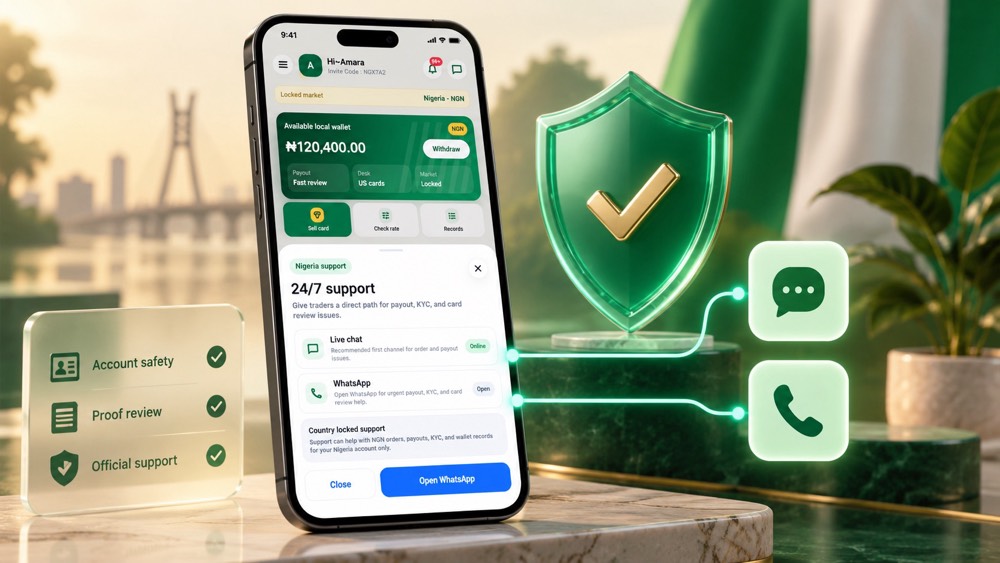
Keep the entire trade inside the official flow
Gift card scams often begin when someone tries to move the conversation away from the platform that should review the card. They may promise a special rate, request the code in a direct message or send a link that looks almost like an official page.
The safest routine is simple: use the official Kardora app to check a rate, submit the card, follow review and confirm the payout in your NGN wallet. Treat screenshots and messages outside the app as claims, not proof of payment.
Seven rules that protect your card and account
1. Trade only cards you legally own
Keep the original receipt, delivery email or other proof where available. Do not accept a card from an unknown person and then submit it from your own account. If the source cannot be verified, do not trade it.
2. Never expose the full code publicly
A person who sees the complete number and PIN may be able to redeem the card before review finishes. Do not post the code in a social-media group, marketplace listing or public support comment. Upload the required details only through the official Kardora trade flow.
3. Protect passwords and one-time codes
Kardora support should not need your password or one-time verification code to check an order. Anyone requesting those credentials is trying to take control of your account. Use a unique password and keep access to your email and phone secure.
4. Ignore guaranteed-rate pressure
A legitimate quote depends on the card brand, region, format, value and current market conditions. Be cautious when someone promises a fixed or unusually high payout without reviewing the card. Check the current estimate yourself with Kardora's rate guide.
5. Check the card details before submission
Choose the exact region, currency and physical or digital format. Good proof protects both the customer and the review process. Take clear images, keep the card in view and follow the instructions displayed for that order.
6. Verify support inside Kardora
Start support from the official app or the contact route published on Kardora's own website. Do not trust an account merely because it uses the Kardora name or logo. When asking about an order, share the order reference—not your password, one-time code or unnecessary card credentials.
7. Confirm the result in your records
A payment screenshot can be edited. Confirm approval in the order timeline and confirm the final amount in your Kardora NGN wallet or transaction record. If the in-app record does not show the payout, treat the trade as unresolved.
Common warning signs
Pause the conversation if someone:
- Asks you to send the card code before an official order exists.
- Says you must pay a separate release, upgrade or verification fee to receive your payout.
- Requests your password, sign-in link or one-time verification code.
- Pushes you to act immediately because a private rate will disappear.
- Sends a misspelled website address or an unofficial app download.
- Refuses to provide an order reference that appears in your Kardora account.
- Claims payment is complete when your in-app wallet and transaction record show nothing.
What to do if something feels wrong
Stop sharing information. Save screenshots, usernames, phone numbers, links and the order reference. Change exposed passwords promptly and secure the connected email account. Then open the official Kardora support route from the app and explain what happened.
If a card code may have been exposed, do not keep sending it to more buyers. Tell support exactly where it was shared so the review has accurate context.
Build a safer trading routine
Before your next order, read how to sell gift cards in Nigeria with Kardora and check which gift cards may be available to trade. Use current information in the app, prepare proof before submission and track every stage in one account.
Good security is not complicated. Keep the code private, keep credentials private, and keep the trade inside Kardora until the approved amount appears in your NGN wallet.