Quick answer: There is no single permanent Steam gift card rate. Select the exact region, currency, format and value in Kardora’s live quote flow to see the current NGN estimate for your card.
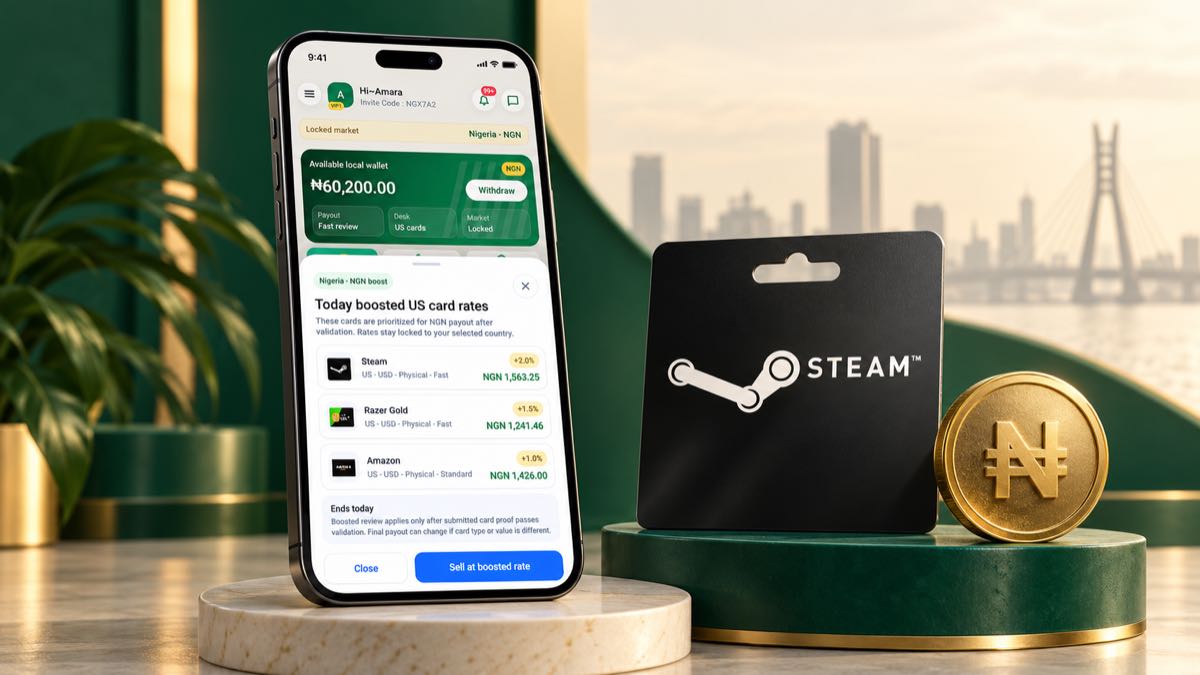
Start with the exact Steam card you own
A Steam gift card rate in Nigeria is not one permanent number. The current NGN estimate depends on the card's country, currency, value, format and the market available at the time you check. A screenshot from yesterday or a rate posted in a chat group may describe a different card and should not be treated as today's quote.
Before comparing rates, confirm the information printed on your card or shown in the original digital delivery record. A US Steam card is not the same product as a UK, Canadian or euro-denominated Steam card. Selecting the wrong region can produce an inaccurate estimate and may slow down review.
What changes a Steam gift card estimate?
Country and currency
The issuing country and currency help determine where the card can be used and the current demand for that variant. Match the country and currency in Kardora to the card itself instead of choosing whichever option displays the largest number.
Physical card or e-code
A physical Steam card normally requires clear, uncropped photos. A Steam e-code may require the original email or delivery record. These formats can have different review requirements and estimates, so select the format you actually own.
Card value
The face value matters. Do not multiply the estimate from one value and assume every denomination uses the same rate. Enter the exact value shown on the card and review the resulting NGN estimate.
Current market conditions
Gift card demand can move. Kardora shows the estimate available for the selected combination when you check. The final payout is confirmed only after the submitted card passes validation and its details match the selection.
How to check a Steam gift card rate on Kardora
- Open Kardora and choose Check rate or begin the official sell flow.
- Select Steam as the gift card brand.
- Choose the correct country, currency and card format.
- Enter the exact face value.
- Review the NGN estimate and the instructions shown for that option.
- Submit only when your card images or e-code proof are ready.
For the full process, read how to check gift card rates before you trade.
Avoid misleading comparisons
Compare like with like. A US physical Steam card and a UK Steam e-code should not be placed side by side as though they are identical. Also confirm whether a quoted number is a per-unit rate, a total estimate or an old promotional example.
Kardora does not require you to rely on a static list. The official rate checker shows the current estimate for the details you select. If the card or proof differs during validation, the final amount can also differ.
Prepare the card before submitting
For a physical card, photograph the front and back in good light. Keep all edges visible and make sure the brand, value and required proof can be read. For an e-code, keep the original delivery record. Never post the full code publicly or send it to an unknown buyer.
When you are ready, use the official Steam gift card selling page and follow the in-app instructions. You can also compare Steam with other supported cards in the best gift cards to sell in Nigeria guide.
The practical answer
The useful Steam gift card rate is the current estimate for your exact card, not a general number copied from somewhere else. Match the card details carefully, check the live estimate and keep valid proof ready before you submit.