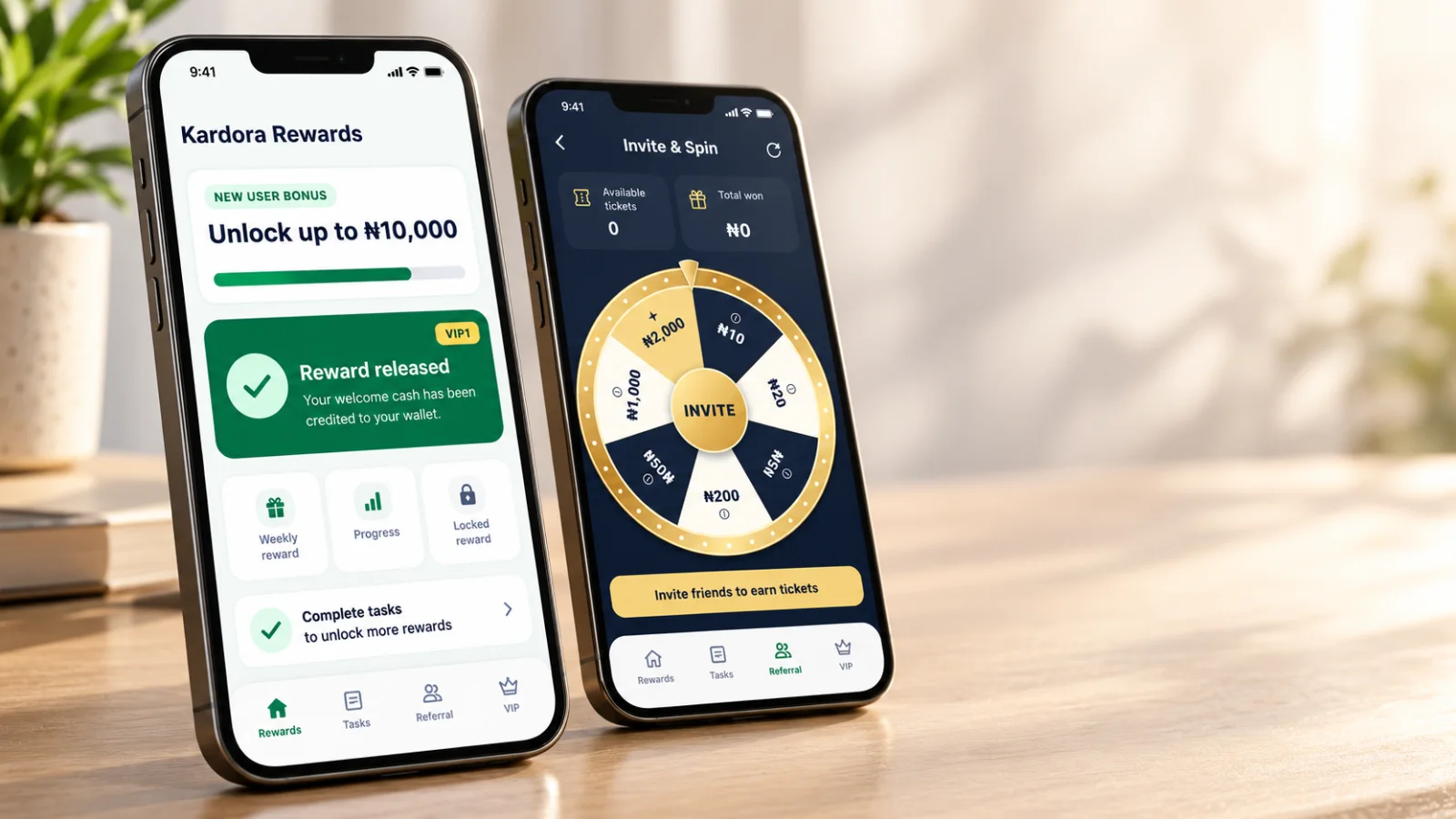
A reward shown in Kardora is not always ready to withdraw. A locked bonus, a reward credited to your wallet, a spin ticket, and a cash prize are different things. The amount shown as Available to withdraw in your wallet tells you what you can currently include in a withdrawal request. How the New User Bonus works New user challenges have goals that must be completed before locked cash can be released. Check the active challenge in the app for its qualifying activity, progress, reward amount, and status. The screenshot provides one example: a one-time ₦2,000 welcome reward is marked Reward credited after the account records more than ₦100,000 in approved and credited trade payouts. The screen also shows ₦0 in locked rewards. These figures describe that example account and challenge; they are not a universal reward amount or goal. A message such as “Unlock up to ₦10,000” describes a potential campaign maximum, not a guaranteed payment. Likewise, seeing a Claim button or completed progress does not by itself mean that cash is available to withdraw. Check the reward status and wallet balance. Invite & Spin: tickets are not cash Invite & Spin uses tickets for chances to spin a prize wheel. The example screen shows 0 available tickets and NGN 0 total won. It says one ticket is used per spin and directs users to My tickets & invitation progress to check their status. The pictured wheel advertises a single-spin prize of up to ₦2,000. That is a maximum shown in this example, not a promised prize. A ticket does not guarantee a cash win, and the screen notes that wheel segment sizes do not represent the odds. Check the current in-app rules to see how tickets qualify and how any prize is recorded. When can I withdraw a reward? Follow this sequence for an eligible cash reward:
- Read the current rules for the challenge or promotion in the Kardora app.
- Complete the required qualifying activity and check its verified status.
- Check whether the reward is still Locked or has been released and credited.
- Confirm that the cash appears in your wallet’s Available to withdraw balance.
- Request a withdrawal in the app using a verified payout method.
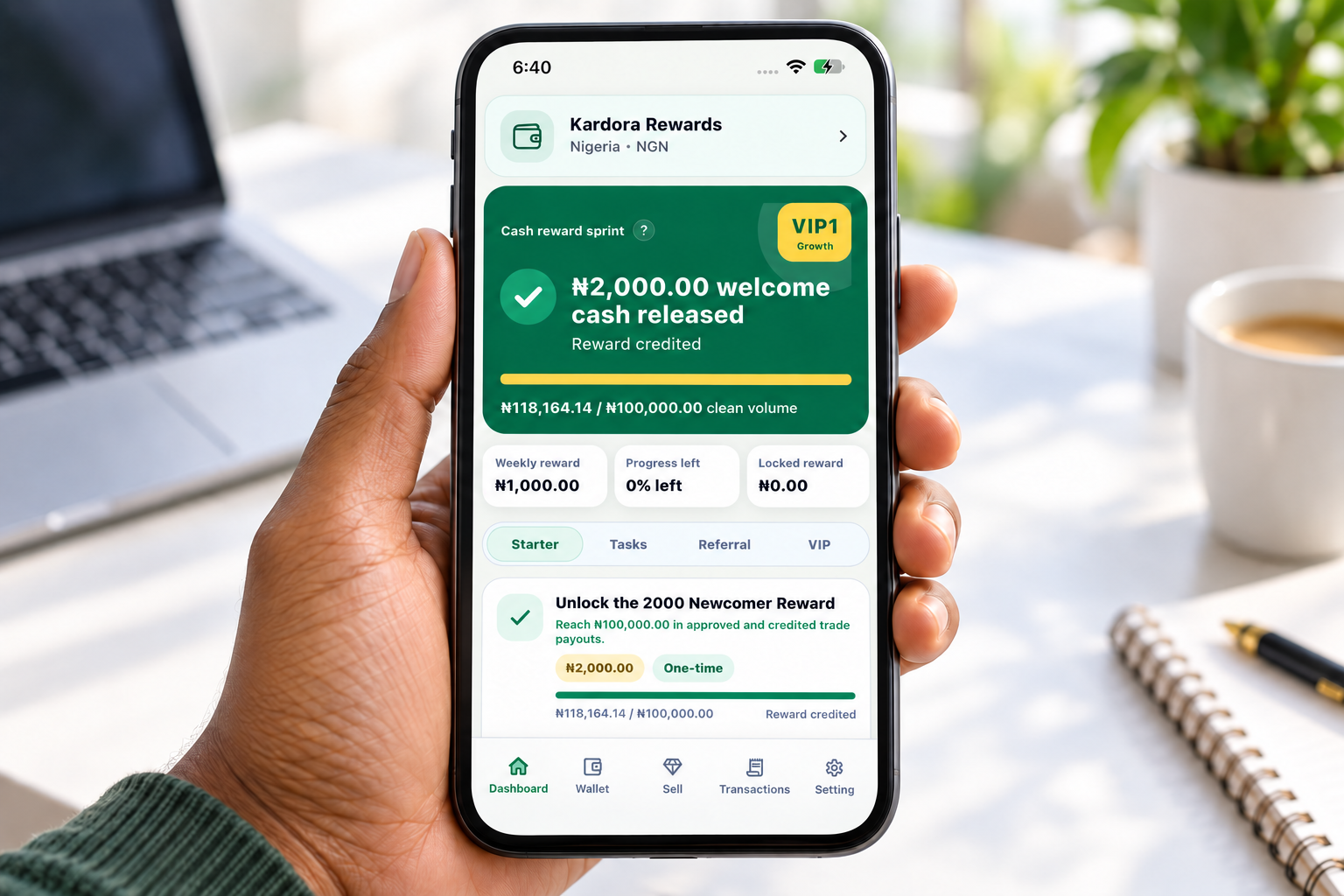
If a reward remains locked after you believe you have met the goal, compare your progress with the active rules and contact Kardora support through the app. Include the task name and relevant order details, but never share your password or verification code. Reward eligibility and values depend on the active campaign and country market. For the latest conditions, use the Kardora app and the Rewards guide. For the final payout step, see How to Withdraw Funds from Your Kardora Wallet.