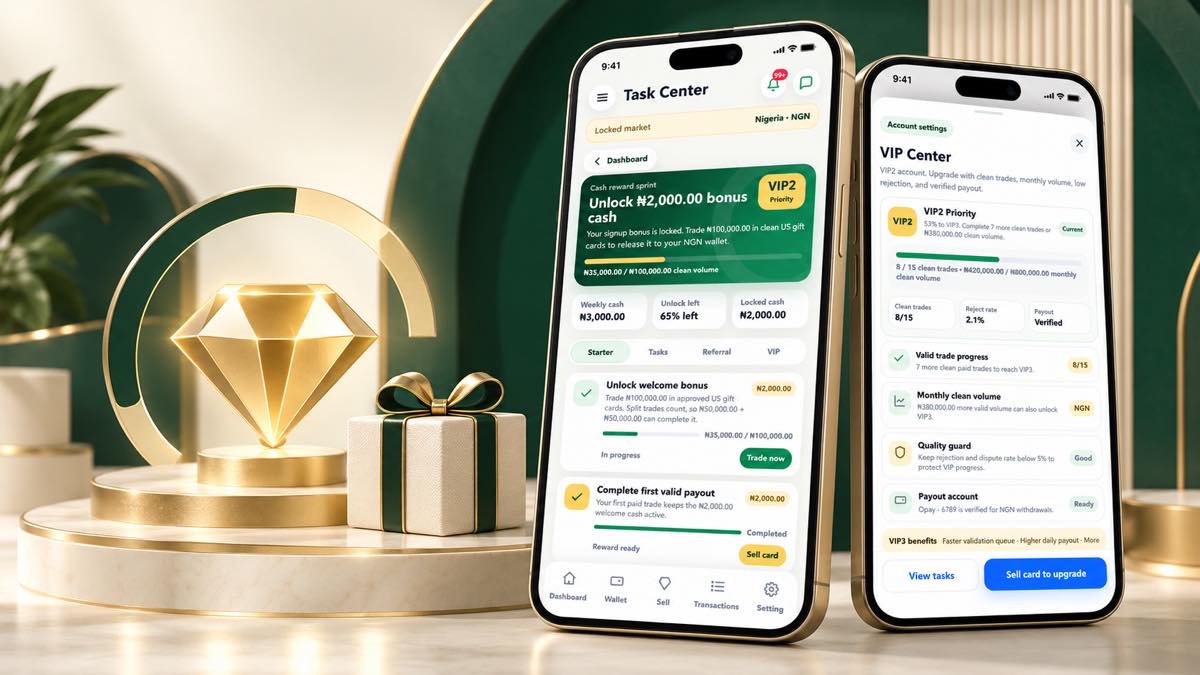
Rewards are connected to clear requirements
Kardora rewards are designed around specific activities and eligibility rules shown in the app. The Task Center explains what action is required, how progress is measured and whether a reward is locked, ready or completed.
Live values, availability and account progress are always confirmed inside the Kardora app.
Understanding Task Center status
Each task card can show a goal, your current progress and a reward state. Common states include:
- In progress: the requirement has not been completed yet.
- Completed: the qualifying activity has been recorded.
- Reward ready: the app shows that the next eligible action is available.
- Locked: another requirement still needs to be met.
Rejected, duplicate or disputed gift cards do not count as clean trade progress. Always read the current rule shown on the task before participating.
Weekly activities and referral tasks
Some activities use a weekly period, while referral programs depend on the eligibility rules displayed for the inviting and invited accounts. Opening a share page or copying an invitation link does not by itself confirm a reward.
Progress and reward status must come from the recorded activity shown in your account.
How VIP progress works
The VIP Center shows the requirements connected to your current level. Depending on the live program, this may include clean trade count, eligible monthly volume, account quality and a verified payout method.
VIP progress is not based on one number alone. Keep your account information accurate and use the progress indicators in the app as the official source.
Good habits for reward participation
- Read the current task requirement before starting.
- Use one genuine account and accurate identity information.
- Complete eligible actions through the official Kardora app.
- Check whether progress is pending, completed or locked.
- Contact official support if the displayed status does not match your activity.
Reward amounts and rules may change by market, account eligibility and active campaign. The live in-app rule takes priority over old screenshots or messages.